Online Ordering Best Practices for Coffee Shop Owners

If you're a shop owner, read on! Below we outline the best practices for online ordering at your shop.
Make your menu work as hard as you do
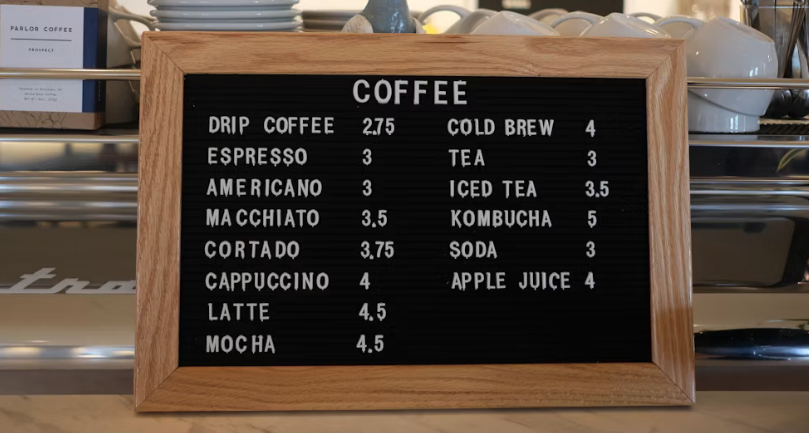
Your online menu is your first impression for a lot of customers. They're not standing at a counter with a barista to guide them — they're making decisions on their own, usually on a phone, often quickly.
A few things to get right:
Keep it current. If you're out of seasonal specials or rotating items, remove them from the menu. Nothing frustrates a customer more than placing an order they can't actually get. If you run 86'd items regularly, look for a system that lets you toggle items on and off without a full menu rebuild.
Write clear descriptions. Skip the poetic language and just tell people what they're ordering. "Single-origin Ethiopia, washed process, bright and floral" is helpful. "A journey in a cup" is not.
Use photos — but only good ones. Real, well-lit photos of your actual drinks can increase conversions. Blurry or stock photos do the opposite. If you can't commit to quality photos yet, clean formatting without images beats bad images every time.
Organize by how customers think. Most people shopping your menu are thinking "hot coffee," "iced drinks," "food," not the other way around. Category structure should match the decision they're already making.
Set up modifiers that reduce friction
Modifiers are where online orders get complicated fast. Too many options and customers bail. Too few and they call the shop to customize anyway.
The goal is to mirror what you'd actually offer over the counter — not every possible variation, but the ones people actually ask for.
A few practical rules:
- Required modifiers (milk choice, size) should be required in the system. Don't let someone submit an espresso drink without a milk selection and leave it to your baristas to guess.
- Optional modifiers (extra shot, syrup flavor, dairy-free substitute) should be easy to find but not cluttering the default view.
- Limit the depth. If choosing a single drink requires navigating four separate modifier screens, you're losing people. Simplify.
Be honest about pickup times
One of the fastest ways to lose a customer's trust is to give them a pickup time and then miss it. And in a busy shop, this happens more than it should.
Build your default prep time estimates around your actual capacity, not your best-case scenario. If your busiest window is Saturday morning, set expectations accordingly — even if it means a longer default wait time. A customer who shows up on time and has to wait is more frustrated than one who expected a 15-minute wait from the start.
If your system supports dynamic timing based on order volume or time of day, use it. This alone can improve the experience significantly on high-traffic days.
Don't skip the confirmation flow
After someone places an order, what happens next? A clear, timely confirmation email or SMS does a few things:
- It reassures the customer the order went through
- It sets expectations on timing
- It gives them something to reference if there's a problem
Make sure your confirmation includes the order details, pickup time, and your shop's address. Sounds basic — but a lot of shops either skip this step or send a confirmation so bare-bones it doesn't actually help anyone.
Integrate your online ordering with your POS
This is the piece most coffee shop owners underestimate. If your online orders are coming through a separate system that doesn't talk to your POS, you're creating double work for your staff and increasing the chance of errors.
When your online ordering is fully integrated:
- Orders print directly to the bar without manual entry
- Inventory and item availability stay accurate across channels
- Your reporting reflects the full picture of your sales, not just in-person transactions
If you're juggling a third-party ordering platform that doesn't connect to your POS, that's worth fixing. The operational overhead adds up fast.
Think about the loyalty connection
Online ordering is one of the best touchpoints you have for building customer loyalty — but only if you set it up to do that.
If customers can earn and redeem loyalty points through your online ordering flow, you give them a reason to keep ordering from you directly rather than defaulting to a third-party app. The mechanics vary by platform, but the principle is simple: make it easy, make it visible, and make sure it works the same way whether someone orders in-person or online.
Audit your online ordering setup regularly
Once everything is set up, it's easy to let it run and forget about it. But online ordering setups drift — menu items get stale, modifier options become outdated, and the customer experience you built six months ago may not match what you're actually offering today.
Set a reminder to do a full walkthrough of your online ordering flow every 60 to 90 days. Place an order as if you're a first-time customer. See where you get stuck. See what's missing. Fix it.
The shops that do this consistently are the ones whose online ordering actually converts — and keeps customers coming back.
Learn more about online ordering with Dripos here.